Computer Use
See the interface and operate it through screen, mouse, and keyboard interactions.
Explore the W18 concept workflow and the recordings behind it. Each stage was run separately; the overview is an edited highlight, not one unattended end-to-end run.
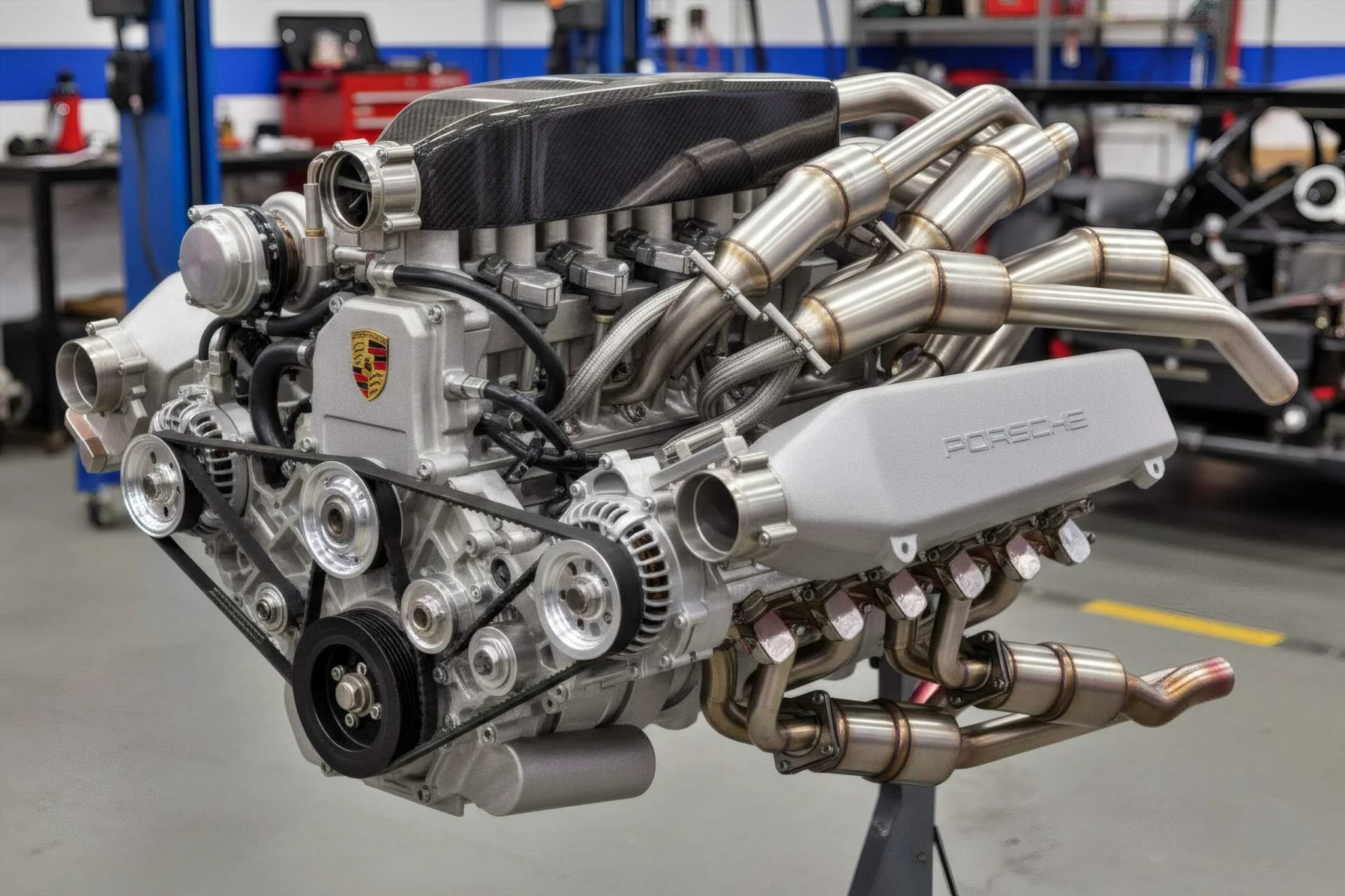 Reference image
Hey OpenReef, build a Porsche-inspired W18 engine concept, render it in 4K, make a video, and finally send it to Liangdong Xu via iMessage.
Follow the W18 concept from CAD modeling to materials, a finished video, and sharing through Messages. Explore the separate recordings behind the highlight.
Build a detailed W18 concept in Closed-source commercial CAD, with pipework, housings, and removable covers.
Open full recording ↗This Twinmotion recording demonstrates a complex scene-building task without relying on a public automation API. Computer use became stuck repeatedly adjusting the camera with the mouse, without advancing the task. OpenReef combined internal runtime calls with UI assistance to complete scene setup, rendering and saving. Datasmith import and synchronization workflows are distinct from general programmatic control over these operations. The workflows and outputs differ, so this is not a matched performance benchmark. Reuse applies to the tested version and covered workflow.
Watch Demo ↗Two fresh execution sessions in Adobe Dimension compare visual computer use with prepared application-controller tools. Preparation and tool development are excluded from both measured sessions. The recorded results differ in one front-cover material sampler, so this is not a claim of identical outputs or a general performance benchmark. Both recordings begin at original speed; after OpenReef finishes, the Computer Use recording accelerates to 4×. On-screen timers and token counts represent recorded execution measurements, not playback speed.
Watch Demo ↗Ghidra analysis identified an exported C++ geometry function. A source-assisted native binding exposed it through MCP, then separate processes checked the saved geometry after execution and restart.
View the record excerpt ↗Part::PropertyPartShape::transformGeometryFreeCAD 1.1.4 is open-source. This demonstrates source-assisted binding of an exported C++ function, not blind recovery of private interfaces in closed-source software. Public APIs still handle document access, argument construction, recomputation, and saving.
The W18 workshop recording uses an MCP tool to request rendering, then polls application state. The recorded result reports a completed render and 615 meshes in the scene.
View the record excerpt ↗{
"name": "workshop_demo_step",
"arguments": {
"step": "render"
}
}{
"task": {
"state": "render_complete",
"error": null
},
"hasModel": true,
"meshCount": 615
}A recorded demonstration, not a live feed. This binding uses recovered JavaScript controllers in a specific Dimension version. The request is reconstructed from the recorder; result fields are retained from its MCP log. It does not demonstrate automatic conversion of every application.
Deployment, data handling, and application permissions are part of the pilot assessment—not assumptions you need to make from a demo.
Discuss your deployment requirements ↗The public demos do not establish a local-only deployment or a no-upload guarantee. Before a pilot, agree on where analysis and execution run, which files or data may be transferred, and retention requirements.
Access depends on the application and execution method. The assessment identifies required accounts, permissions, and debugging access before any connection is approved.
The demonstrated Dimension binding did not patch application binaries, but it used debugging access and runtime settings. Changes required for your application must be reviewed separately, together with isolation and rollback requirements.
A recorded cover-control study removes and refits 36 model entities, checks their return positions, and saves and reopens the native drawing state.
View the record excerpt ↗The demos produce project files that can be reopened in their original applications. These are concept studies and demo assets, not approved production or construction designs.
OpenReef analyzes how desktop applications work, discovers capabilities beyond their interfaces, and turns selected operations into reusable MCP tools. Static analysis, runtime analysis, and computer use work together to execute actions and check the results.
See the interface and operate it through screen, mouse, and keyboard interactions.
Analyze functions, logic, and call graphs to discover application capabilities beyond the GUI.
Read live objects, parameters, and runtime state inside authorized processes, so the agent has more than screenshots to work with.
Discover capabilities → Execute actions → Verify outcomes
Reading memory does not control the application. Changes still require a reliable execution entry point or controlled GUI interaction. Available techniques and compatibility are assessed per application, operating system, and permissions.